
Choosing a Self Locking Connector is not just a matter of matching pin count or thread size. The right choice depends on the equipment, operating conditions, and the hands that will install it. A connector inside a vibrating pump faces different demands from one on a frequently serviced control panel. Even a small mismatch can cause loosening, intermittent signals, or difficult maintenance.
Look closely at the locking mechanism, contact arrangement, current and voltage ratings, environmental sealing, and mating cycles. Check whether users can confirm engagement by touch or sight. A latch that clicks firmly in a clean workshop may behave differently with gloves, dust, or limited access. Practical details matter. So does serviceability.
I can’t responsibly attribute a quotation to a named connector-industry expert without a verifiable source. A useful design principle for this guide is: “A secure connection must remain reliable in the conditions where it will actually be used.” That is a selection reminder, not a sourced expert quotation. The sections ahead compare key connector features and show how to weigh them against real application needs. Some trade-offs remain. A stronger lock can take longer to release, and added sealing may increase size or cost. Choosing well means checking those compromises against the job—not assuming one connector suits every system.
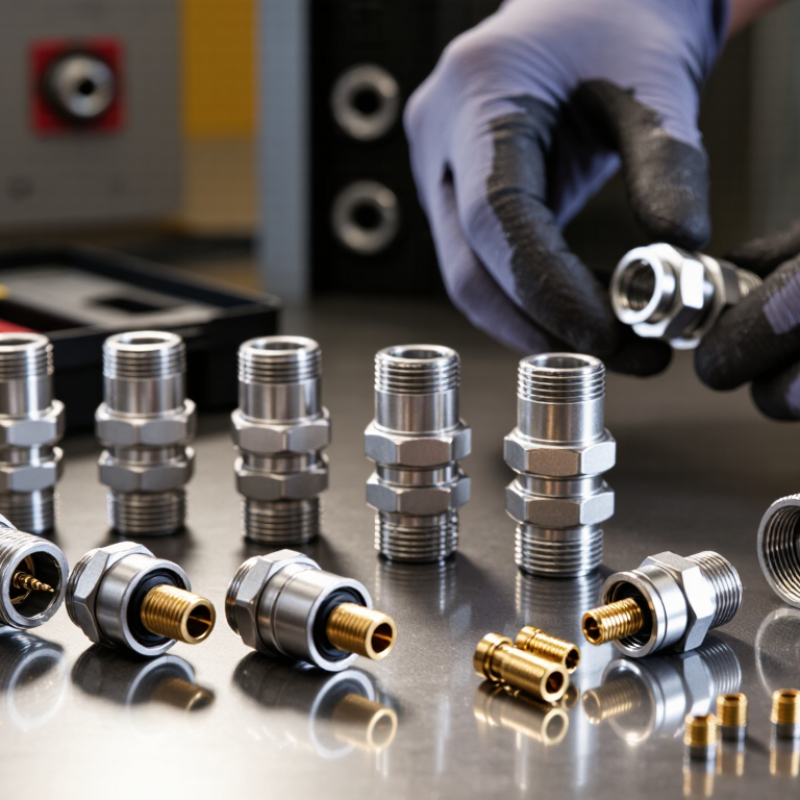
How to Choose a Self Locking Connector for Your Needs?
Understanding the Design and Function of Self-Locking Connectors
A self-locking connector uses a mechanical feature to resist accidental separation after mating. Depending on its design, that feature may be a spring latch, locking sleeve, or threaded coupling. The outer shell guides the parts together, while internal contacts carry the signal or power. It should click. But a click alone does not prove the connection is secure.
Look closely at how the lock engages and releases. A latch should return to position without sticking, and the connector should align without force. Keyed shapes can prevent incorrect mating, a useful detail when access is limited or several cables look alike. Consider vibration, connection cycles, moisture, dust, and the available space. A compact latch may be convenient, yet harder to operate with gloves.
Match the connector’s ratings to the actual application, including current, voltage, wire size, and environmental exposure. Check the manufacturer’s technical documentation rather than judging by appearance; similar housings can have different limits. For a vibrating assembly, verify that the locking method is rated for that use and test it in the installed position. Not always obvious. Cable pull can place stress on the contacts even when the lock holds. That trade-off deserves a second look.
Defining Application and Performance Requirements
Start with the conditions the connector will actually face: voltage, continuous and peak current, temperature range, vibration, moisture, and mating frequency. A connector rated for a brief current peak may overheat under a sustained load. Check the equipment’s measured operating temperature, not just the room temperature. Allow for wire size, enclosure heat, and nearby components. Small details matter.
For outdoor or washdown equipment, specify the required ingress protection rather than asking for a “waterproof” connector. IEC 60529 defines IP67 as dust-tight protection and temporary immersion in water up to 1 metre for 30 minutes. That rating does not prove suitability for repeated immersion, pressure washing, or chemical exposure. Verify those conditions separately. For electrical performance, compare contact resistance and current-carrying test results, including temperature rise; IEC 60512 provides standardized connector test methods. Ask for test data at the intended wire gauge and operating temperature. I have seen paper specifications look reassuring while leaving these details unclear. A little uncertainty remains. Set acceptance limits before choosing a self-locking mechanism, then confirm that vibration, cable pull, and repeated mating will not release it.
Example screening priorities for a portable outdoor sensor. Rate each requirement from 1 (lower priority) to 5 (critical); use the application’s actual conditions and connector datasheets to set final requirements.
Prioritize secure locking, environmental sealing, and vibration resistance where the connector is exposed to weather or movement. Then confirm current and voltage ratings, mating-cycle life, size, and serviceability against the equipment’s needs. Scores are an illustrative screening example, not product specifications.
A self-locking connector should match the way equipment moves, gets serviced, and meets the environment. Threaded couplings resist loosening under vibration, but take longer to connect. Bayonet locks engage with a short twist, useful where access is tight. Push-pull designs allow quick mating, though their retention force and release method need careful checking. Try the connector with gloves on. Small details matter.
Materials affect both durability and handling. Stainless steel suits corrosive or frequently cleaned settings, while plated metal can offer strength at lower weight. Thermoplastic housings reduce weight and may resist chemicals, but their temperature limits vary. Check the cable jacket, seal material, and contact plating too; a sturdy shell cannot compensate for a weak seal. I would not choose by material name alone.
Compare rated current and voltage with the actual load, including startup peaks. Then check temperature, vibration, and ingress protection. IEC 60529 defines IPX7 testing as temporary immersion under specified conditions, commonly one metre for 30 minutes. That rating is not a promise of safe use during continuous submersion or repeated pressure changes. For dusty, wet equipment, confirm the exact IP code and test conditions in the supplier’s technical documentation. A rating can look reassuring. Context decides.
Start with the connector’s actual surroundings. A unit exposed to rain, washdown, dust, or salt spray may need a suitable sealing level and corrosion-resistant materials. Check the manufacturer’s ratings against the conditions at the connection point, not just the overall equipment enclosure. Temperature matters, too. Nearby motors can create hot spots that differ from room temperature. Vibration and repeated movement may also affect locking reliability over time.
Tips: Check cable clearance before choosing. Confirm the locking mechanism is reachable with gloves. Leave enough slack to prevent cable strain, but avoid loose loops that can snag. Review the specified wire range and mounting dimensions.
Installation details can change which connector works best. A threaded coupling may suit a fixed panel, while a push-lock design can be easier to handle in tight spaces. Consider how often technicians will disconnect it, and whether they can inspect the joint after installation. A locking feature is not a substitute for correct assembly; mismatched parts or poorly seated seals can still cause trouble. One easy detail to overlook is tool access. Measure the space around the connector before ordering, and verify the assembly steps against the product documentation. The first choice may need revisiting once the real cable route is clear.
A self-locking connector must fit both the anchor and the task. Check the gate opening, connector shape, material, and permitted loading direction. A connector that clips onto a harness may not seat correctly around a wide anchor bar. Confirm the connection point cannot press against the gate during movement. Small mismatches matter.
For fall-protection use, check that equipment meets the applicable standard and that its instructions match your work conditions. OSHA’s construction fall-protection rule, 29 CFR 1926.502, requires locking-type snap hooks.
The Bureau of Labor Statistics recorded 421 fatal falls in the construction industry in 2023. That figure is a sobering reminder: a locking gate is only one part of a safe system.
Inspect for corrosion, cracks, deformation, and a sluggish locking action before use; remove questionable equipment from service. A checklist helps, but it cannot replace judgment.
Tips: Connect, then tug-test the gate. Keep the connector clean and dry, and follow its inspection and retirement instructions. If compatibility is uncertain, stop and verify it with a qualified safety professional.
