
Every chain-link fence order has a moving trail: a confirmed drawing, bundled fabric, posts, fittings, and a delivery date. When one detail changes, a customer may still see an outdated status. Track Chain Link order tracking brings those updates into one clear workflow, from quotation approval to delivery confirmation.
“An order is only as clear as its next recorded step,” says Daniel Mercer, a fictional chain-link order-tracking specialist created for this overview. That principle is useful, but the name and quotation are illustrative, not a verified industry source. Reliable tracking should connect each order to a reference number, product specifications, quantity, current location, and the person responsible for the next update. A timestamp matters. So does a note explaining why a shipment has paused.
Picture a yard with galvanized rolls stacked beside labeled bundles of posts. If the packing list says one thing and the dispatch record says another, a polished dashboard will not fix the mismatch. It can expose it, though. This guide explains how to record milestones, check order details, share realistic delivery updates, and handle delays without hiding uncertainty. Some teams still rely on spreadsheets; that can work at first, but missed edits are easy. The process deserves regular review. Clear records build confidence, even when the schedule changes.
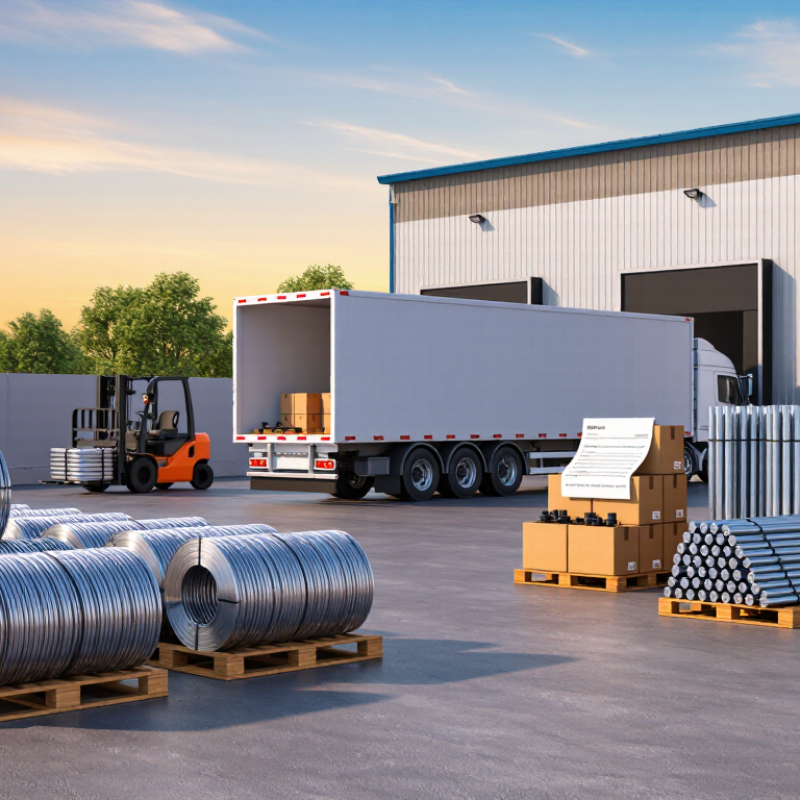
To track a chain link fence order, find the order confirmation, invoice, or shipment email. Search your inbox for “fence,” “order,” or the purchase date. Match the order number, purchaser name, and delivery ZIP code before opening a tracking link. An order number is not always the same as a product number. Check the full confirmation.
Tracking details may arrive separately, after the fence leaves the warehouse. Look for a carrier link, shipment reference, or freight PRO number in later emails. Chain link fabric, posts, and fittings may ship on different pallets, so one tracking update may not cover every item.
If the status stays unchanged, compare the estimated ship date with the dispatch notice. A quiet tracking page can be frustrating, but it does not always mean the order is lost.
Tips:
Save the confirmation email and note the order number. Check spam and promotions folders, too. If details are missing, contact the seller with your order number, delivery address, and purchase date. Ask whether the shipment is parcel or freight, and request the carrier reference if available. Small mismatch? Recheck the ZIP code; it is easy to overlook.
Use the supplier’s order status system as your main reference for a chain link fence order. Keep the order number, confirmation email, and estimated delivery date nearby. These details help you find the correct record, especially when several fence sections or gate components are listed. Look for clear stages such as order received, materials being prepared, production complete, and dispatched. A status label is useful, but it may not explain what is happening on the ground.
Check the system after you place the order, then review it whenever the supplier updates the record. Compare the listed quantities and specifications with your confirmation, including fence height, wire gauge, coating, posts, and fittings. Small detail, big value. If the system shows a shipment reference, use it to check the carrier’s updates separately. Note the date and time of each status change; a delay of several days can matter when installers or site access are scheduled.
Order systems are not always updated in real time. A page may still say “processing” even after materials have moved, so avoid treating one label as a guarantee. If the expected update does not appear, contact the supplier with your order number and ask which stage is pending and when the next update is expected. Keep the reply with your records. It is easy to overlook a missing gate latch or post count when focusing only on delivery, and I would check the item list again before accepting the order.
To track a chain link fence order, ask for dated updates at key production stages: material preparation, wire weaving, framework fabrication, coating, and packing. A useful update identifies what is complete, what remains, and the expected next checkpoint. For example, “Mesh weaving: 70% complete; gate frames are awaiting welding.” This is more helpful than a general “production is on schedule.”
Keep quality-control records tied to the order. Check wire gauge, mesh opening, finished dimensions, coating coverage, and gate alignment against the approved specifications. Ask for inspection dates and clear photos, especially of corners, cut edges, and bundled panels. Small defects can hide there. If an issue appears, request a written description, corrective action, and a new inspection result before shipment. Photos help, but they do not replace measurement records.
A simple shared tracker can list each stage, its status, the person responsible, and the date last verified. Update it after a call or factory report, rather than relying on memory. Some progress estimates will be rough; production rarely follows a perfectly smooth line. Note changes openly, and confirm revised dates in writing. That record makes delays easier to discuss and gives both sides a clearer view of actual quality checks.
Track Production and Quality-Control Progress
Compare planned quantities with units produced and units that have passed quality inspection. A gap between produced and QC-passed units can highlight orders awaiting inspection or corrective work. Figures shown are illustrative.
A chain link fence order may ship in several pieces, so one tracking number may not tell the whole story. Check the order confirmation for estimated fabrication and shipping dates. Ask which items are shipping together: mesh rolls, posts, gates, and hardware may travel separately. Record each shipment reference and the carrier’s contact details. Small details matter. A missing gate can delay installation even when the fence rolls arrive on time.
Watch for milestone updates: fabrication completed, freight picked up, arrival at a local terminal, and delivery appointment confirmed. Freight tracking can pause between scans, especially during transfers. That does not always mean the shipment is lost, but it is worth checking if the estimated date passes. Before delivery, confirm the truck can reach the drop-off area and that someone can inspect the load. Count visible bundles and note bent posts, torn wrapping, or wet packaging on the delivery receipt. Photos help document issues. Delivery estimates can shift; I would not schedule installers too tightly around one.
A chain link fence order may include rolls, posts, gates, fittings, and separate freight shipments. That makes one tracking number an incomplete picture. Check the order confirmation for item quantities, estimated ship dates, and whether materials will arrive together. Keep the order number and delivery address nearby.
Small details matter.
If updates stop, contact the seller with a clear question:
“Have the posts shipped, and can you share the carrier and latest scan?”
Ask whether the delay is tied to fabrication, stock, or freight pickup. Custom lengths or coatings may need extra preparation, while oversized loads can wait for a suitable truck.
Don’t assume silence means the order is lost. But don’t wait indefinitely, either. Keep a simple log of contact dates, promised updates, and tracking changes.
Keep it simple. I’ve found that a written timeline makes follow-up easier, though it can still miss a phone conversation or an unscanned pallet.
If a delivery window passes, request a revised date and confirmation of every outstanding item.
Before accepting a partial shipment, count the bundles and note visible damage on the delivery paperwork.
